Running an Ansys Motion-Maxwell Cosimulation on Linux
For users who would like to use the compute power of a Linux machine, an Ansys Motion-Maxwell cosimulation can be set up on a Windows machine, and then executed on a Linux machine. This topic details this procedure.
- Install the pyaedt package in the CPython of the ANSYS installation: In a Linux terminal, enter
<path to ansys_inc>/commonfiles/CPython/3_10/linx64/Release/python/runpython -m pip install pyaedt - On a Windows machine, open the stand-alone version of Anys Motion Preprocessor.
- Set up the Motion-Maxwell cosimulation; see Coupling Maxwell with Ansys Motion (Stand-Alone) for more details.
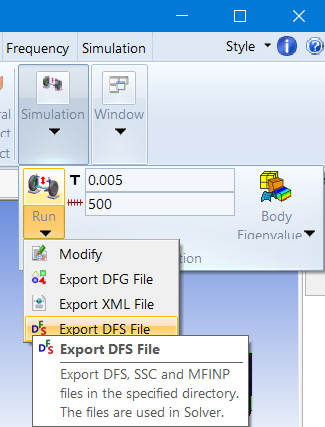
The Ansys Motion subsystem file (.dfsub file) and the Maxwell project generated by Motion (.aedt file) must be in the same folder. - Export a DFS file for use on Linux: from the Motion Home tab, select Simulation > Run > Export DFS file. It should be exported to the same folder as the Motion and Maxwell files.
- Export the DFG file to the same folder as the Motion and Maxwell files: from the Motion Home tab, select Simulation > Run > Export DFG file. This file is necessary to postprocess the solved model on Windows.
- Copy the entire folder from the Windows machine to a Linux machine.
- On the Linux Machine, cd to the copied folder, and use the rundfs.sh script in the Motion installation folder to run the cosimulation:
- Copy the entire folder back to the Windows machine for postprocessing.
-
Open the Ansys Motion Postprocessor to read the solved files in the solved folder:
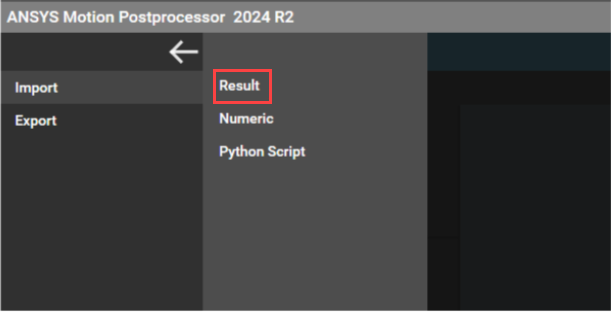
The animation will be displayed after opening the .dfr file.
<path to ansys_inc>/v242/Motion/solver/rundfs.sh -i Name of dsub file
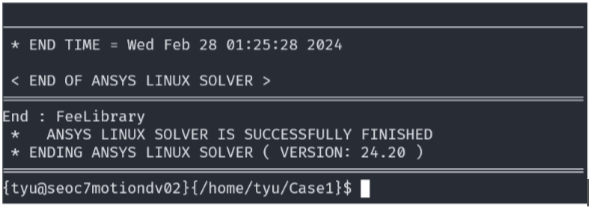
There will be a message when the simulation runs to completion: